
Most astrology software asks for attention. It opens another tab, sends another alert, or turns the sky into a feed.
The premise behind AstrologyGround is quieter: your natal chart can be present without becoming urgent.
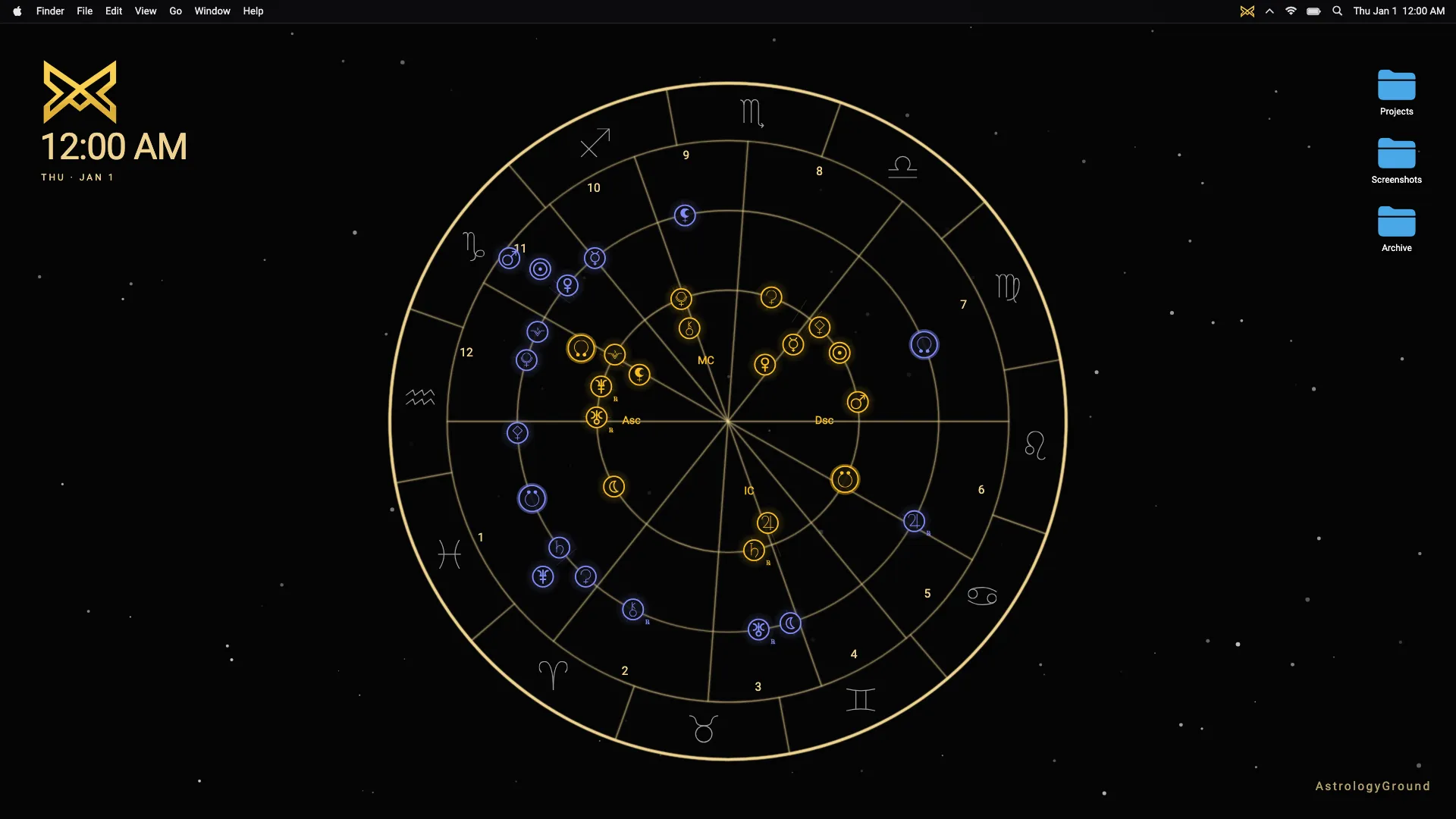
AstrologyGround is a live astrology wallpaper for Windows and macOS. It keeps your natal chart on the desktop while live transits move around it, turning the current sky into calm background context.
A wallpaper should not compete with the work in front of you. It should sit behind everything else and still feel considered when the desktop appears.
Why a wallpaper instead of another app
The desktop is personal space. It is where people work, write, plan, pause, and return between tasks.
A live astrology wallpaper belongs there because astrology often works best as context, not instruction. The chart can stay nearby without asking you to stop what you are doing.
AstrologyGround is designed around presence. The chart stays readable, and its motion is deliberately slow. The result should feel at home on the desktop throughout the day.
What makes it personal
The center of the experience is the natal chart. That is what separates AstrologyGround from decorative zodiac art.
The current sky matters because it moves in relation to the birth chart. The planets are not generic decoration. They are part of a calculated live transit view on the desktop, supported by AstrologyGround’s custom astrology engine.
AstrologyGround is a desktop astrology app built around a live natal chart wallpaper. Its purpose is different from a horoscope feed, phone wallpaper pack, or static zodiac gallery.
Privacy is part of the product
Birth data is intimate. A serious astrology product should treat it that way.
AstrologyGround is designed so birth data stays local on your device. The public website can use privacy-respecting analytics, but Website Privacy and App Privacy are separate concerns.
Analytics can help improve the public website without becoming a pipeline into a person’s chart. Read the Privacy Policy for the current website and app privacy boundary.
What comes next
The first public goal is simple: show the product clearly, explain the privacy boundary plainly, and give visitors a stable place to check launch status.
Download links for Windows and macOS are being prepared. The Download page is the stable place to check platform status.
The aim is modest: make the current sky visible in a way that feels calm and personal, with technically honest foundations.