
In a live astrology wallpaper, the natal chart stays fixed while the current transit layer changes with time.
That simple split is the basis of AstrologyGround. It is also what separates calculated live state from a static image or a repeating animation.
The three examples below use the same sample Birth Data and chart settings at different timestamps.
The fixed layer: the natal chart
A natal chart is calculated for a birth date, time, and location. With those inputs and the calculation settings unchanged, it remains the reference layer.
In these captures, the gold positions are the sample natal chart. Their locations stay the same on January 1, 7, and 14.
The natal chart calculation guide explains how Birth Data becomes planetary positions, houses, angles, and aspect relationships.
- Birth date and time
- Birth location
- Natal positions and houses
- Current timestamp
- Transit positions
- Current aspect relationships
January 1: the starting state
The first capture is calculated for January 1, 2026 at 00:00 UTC. Gold shows the natal reference. Blue shows the transit positions for that timestamp.
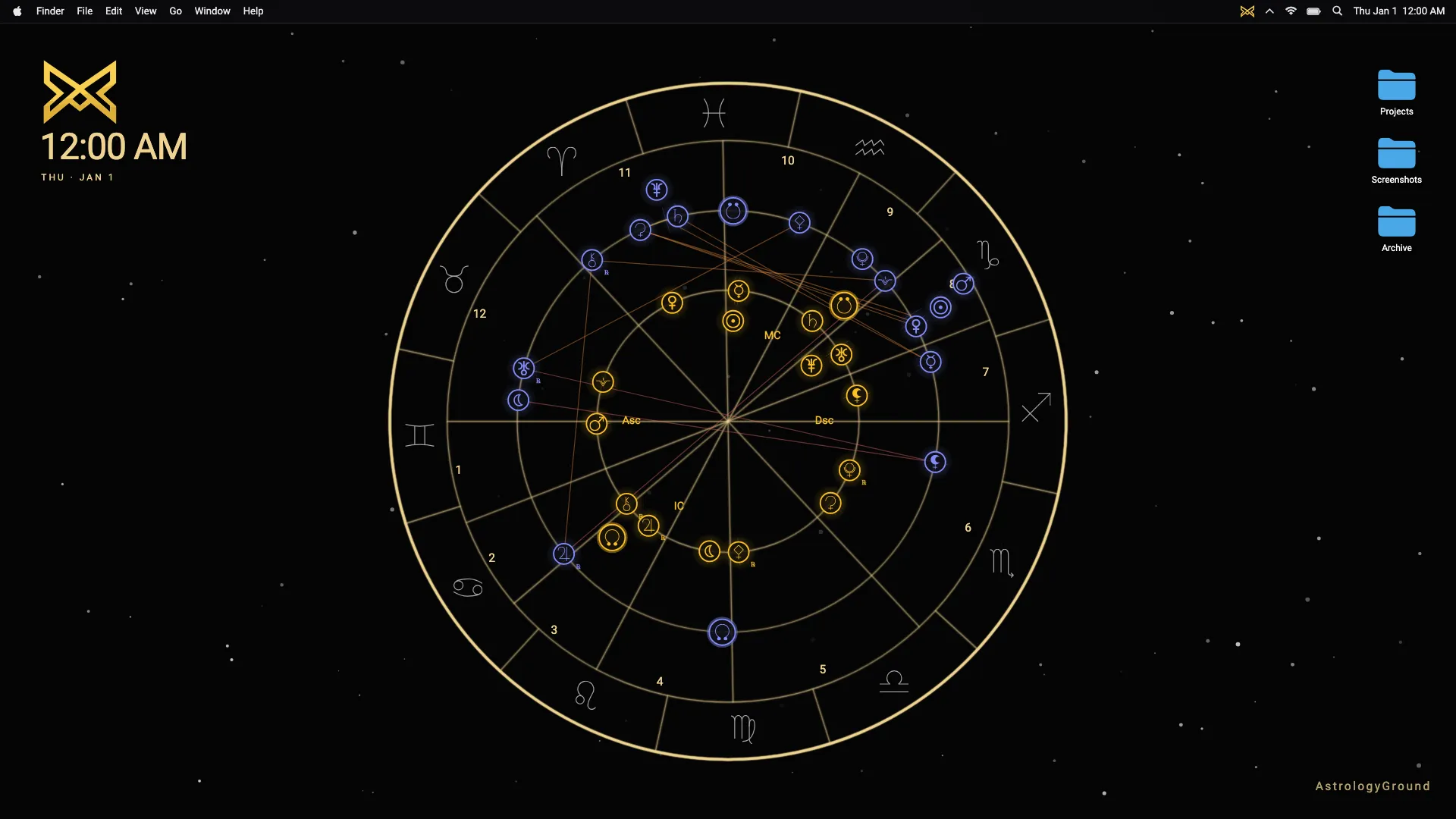
All three examples use the same sample chart. No personal user data appears in them.
January 7: the current sky has moved
Six days later, the gold natal positions remain fixed. Several blue transit markers have moved, and the visible aspect lines have changed with their geometry.
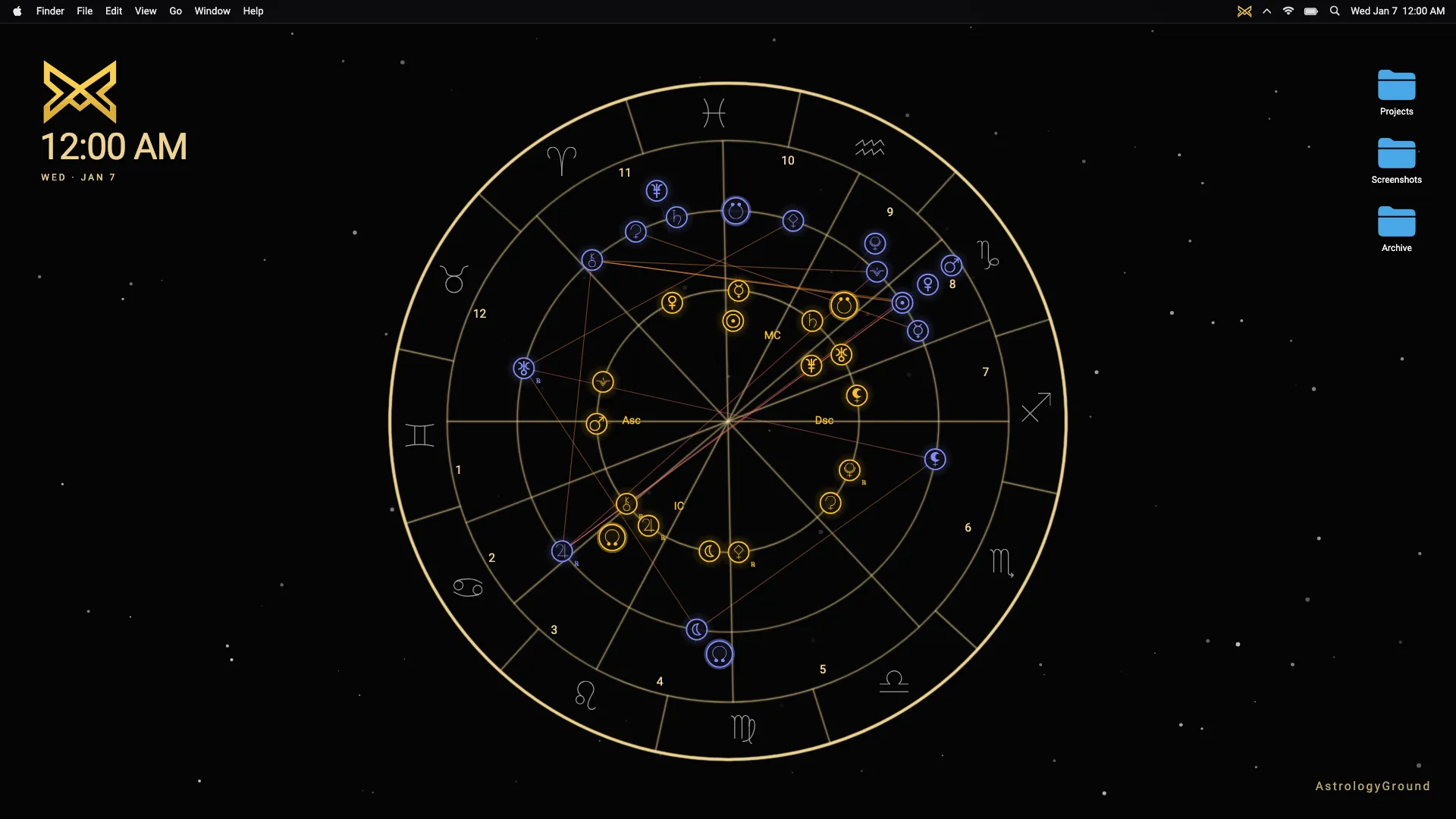
Each example represents another timestamp, not another point in a prepared animation.
January 14: the relationship changes again
At January 14, the same natal chart is still the anchor. The transit layer has a new arrangement, so its relationship to the natal positions is different again.
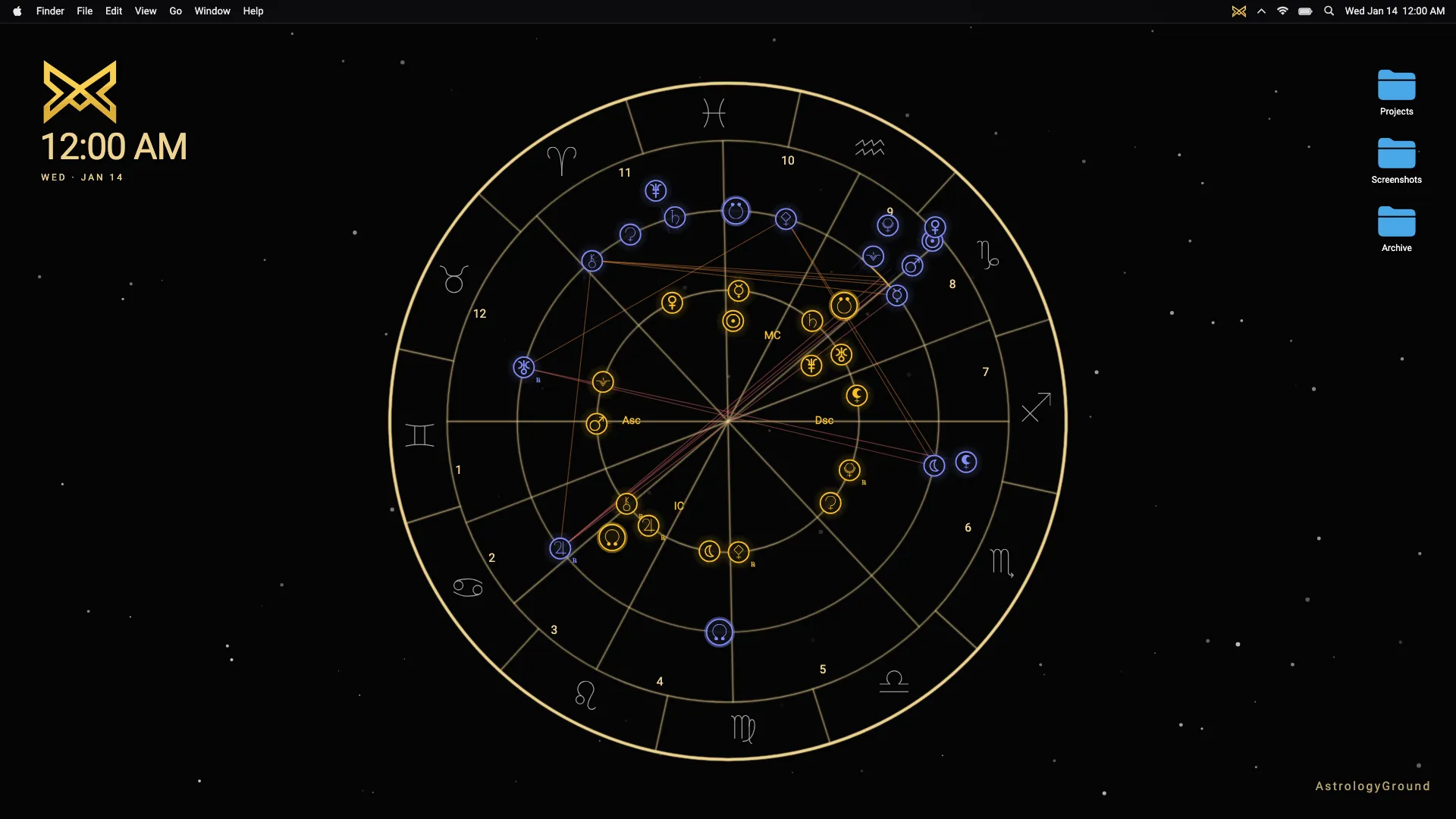
This relationship is why the wallpaper can feel personal over time. The current sky is not shown in isolation; it is placed around one natal reference.
What updates in normal use
While the wallpaper is active, AstrologyGround checks for a new transit state every 60 seconds. If the stored state is already from the same minute, the app skips the duplicate calculation.
When the screen locks, the update timer pauses. When the screen wakes, AstrologyGround refreshes immediately before restarting the timer.
Minute-level checks do not mean every marker visibly jumps each minute. Planetary positions change at different rates, and a large visual difference may take longer to notice.
The technical article on how live transits are calculated follows the engine path from timestamp to displayed transit state.
What does not change by itself
The saved Birth Data does not drift with the clock. Neither does the natal chart calculated from it.
The chart can change if the person edits the Birth Data or chooses a different calculation setting. That is a settings change, not a live transit update.
AstrologyGround keeps Birth Data local on the device. The screenshots on this page all use the same sample chart.
Live means calculated, not merely animated
A static wallpaper shows one file. An animated wallpaper can repeat the same visual loop. A calculated live wallpaper asks what the chart state is for the relevant timestamp.
That distinction matters more than the amount of motion on screen. AstrologyGround is designed to change slowly enough to remain useful as desktop context.
The comparison of static, animated, and live natal wallpaper helps choose the format that fits your goal. The category guide explains the full product idea.