
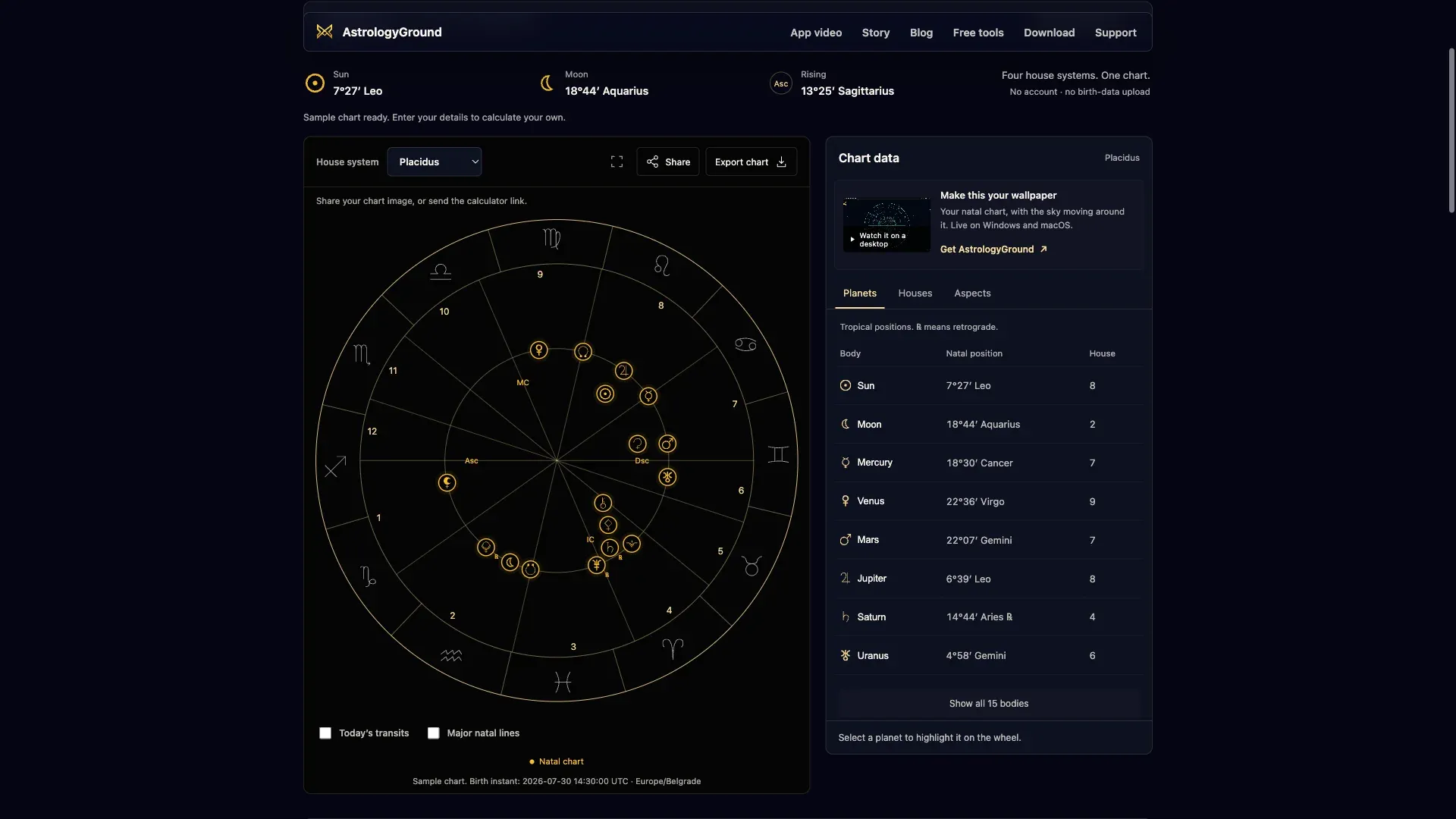
You might already know your Sun sign. Seeing it on a birth chart puts it alongside your Moon, Ascendant and the other planets, with a whole set of relationships to explore.
Our free natal chart calculator brings that chart into your browser. You can follow the connections between planets, compare different house systems, and save an image to keep or share. There’s no account to create or app to install.
These tools use the chart engine behind AstrologyGround, our live astrology wallpaper for Windows and macOS. They give you a way to spend time with your chart before deciding whether you want it on your desktop.
Find your way around your birth chart
The calculator opens with a sample, so you can try it before entering anything. Select a planet on the wheel or in the table and its position is highlighted. The table gives you its sign, exact degree and house, which helps when you’re learning to read the symbols.
To see your own chart, enter your birth date, recorded local birth time and birthplace. The result replaces the sample with your planetary positions and houses. If you’re unsure about the time, our guide to why birth time and location matter explains which parts of a chart depend on it.
Follow the connections between planets
A chart can be difficult to follow when you’re looking at several relationships at once. In the Aspect explorer, select a coloured cell to connect its two planets on the wheel. You can keep more than one selected, then remove a connection when you want to focus on another pair.
The sample below has two connections selected, including Mercury sextile Venus. The details beside the grid name the planets and show their positions, so you can move between the symbol, the numbers and the wheel.
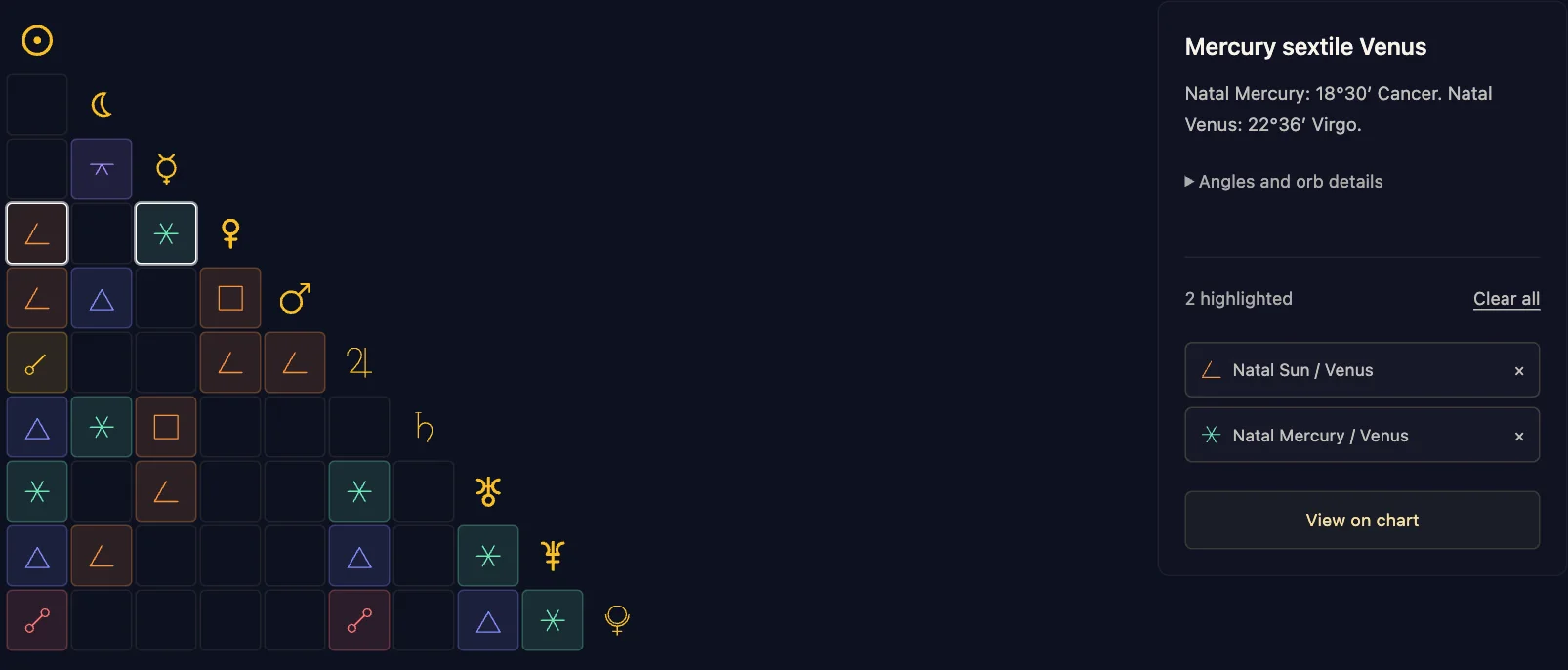
You can also switch to a list if you prefer reading the planet names. Expand the orb details to see how close a pair is to an exact aspect angle. Our guide to how astrology aspects are calculated explains those measurements; interpreting them is a separate step.
Turn on today’s transits when you want to compare the current sky with your birth chart. Natal × transits shows connections between the two. It’s a snapshot at the time shown on the page, while the desktop app keeps the sky moving around your natal chart.
See what a different house system changes
If you’ve compared charts from different calculators, you may have seen a planet appear in different houses. The selected house system can account for that difference.
Our house-system comparison puts Placidus, Whole Sign, Koch and Equal side by side for the same birth details. In the sample chart, the Moon is in house 2 with Placidus and house 3 with the other three systems. Its zodiac position stays at 18°44′ Aquarius throughout.
That gives you a concrete way to examine the difference. You can keep the birth details fixed, change the house system and see which placements move. The guide to how astrology houses are calculated explains why the boundaries differ.
Keep a chart you can share
Once you’ve explored the chart, you can take a copy with you. Open Share beside the wheel to preview an image, then send it through your device’s sharing options. If your browser can’t share the file directly, Save image gives you a PNG to attach yourself.
You can include the natal aspect grid beneath the wheel if you want the connections alongside the planetary positions. Birth date, time and place stay off the image unless you choose to add them. The preview lets you check what you’re sending.
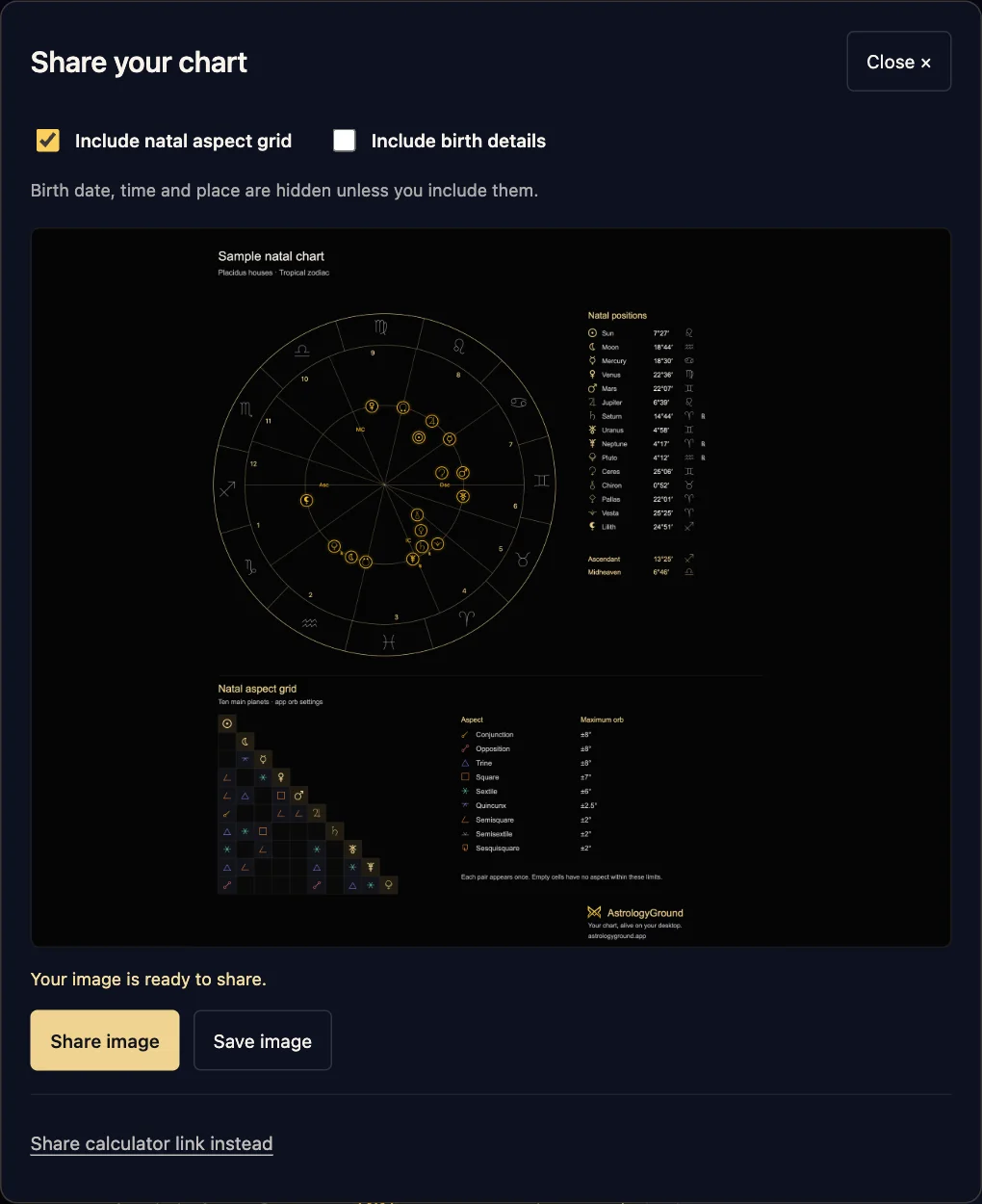
Export chart also offers a vector SVG if you want to resize the artwork for a layout or print. You can download the planetary positions as CSV for your own notes. If you’d rather invite someone to try the tool, Share calculator link sends the public address without your chart.
Your birth details stay on your device
Chart calculation and birthplace search run in your browser. We don’t send the birth inputs or calculated positions to a calculation service or website analytics. Entered details are cleared when you leave or reload the page.
When you share an image, the app or service you choose receives that file and handles it under its own privacy policy. Ordinary website hosting and broad usage analytics remain separate from the chart inputs. The website tool privacy policy explains that boundary.
Open the free birth chart calculator and try the sample, or enter your details to explore your own chart.